BlueBird Simulations B757 preset cheat sheet
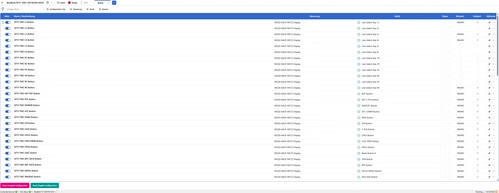
Everything you need to connect your home cockpit hardware to the BlueBird Simulations B757: 557 MobiFlight presets in 22 systems. Copy a code from here, or get them all in MobiFlight with Extras › HubHop › Download Latest Presets.
- Sim:
- MSFS
- Last change:
- 22 Nov 2026
- Top contributors:
- Kees Schroijen (444) · TheTimob (80) · Richard Fedorco (31)
- Profiles:
- 17 on flightsim.to
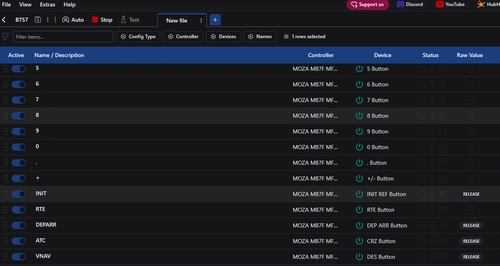
MobiFlight profiles for WINCTRL (formerly WinWing), MOZA and ProDeskSim
Ready-made profiles for the BlueBird Simulations B757 and the cockpit hardware they were built for, shared by the community on flightsim.to.
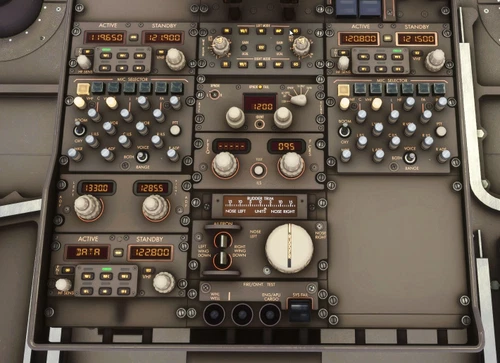
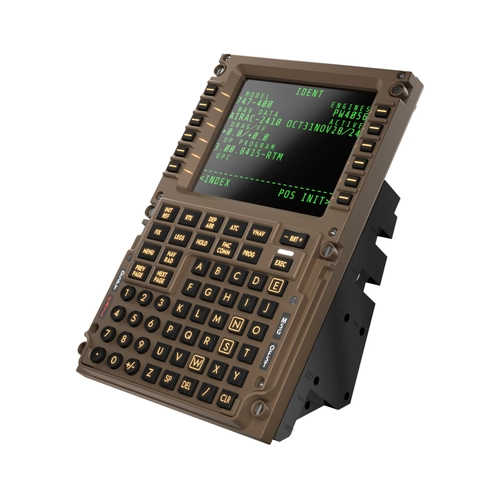
Hardware: WINCTRL (formerly WinWing) MCDU, PAP3, PFP 3N, FCU, PFP 4, PFP 7, PDC, EFIS L, EFIS R, RMP · MOZA MB7F, MA3F · ProDeskSim · miniCOCKPIT miniFCU, miniEFIS · Thrustmaster TCA

Air Condition & Pressurization 69 presets
Inputs — what you press (53)
- Left pack button pressed
1 (>L:B757_OVHD_L_PACK_BUTTON)
0 (>L:B757_OVHD_L_PACK_BUTTON)
by Kees Schroijen - Left pack button released
0 (>L:B757_OVHD_L_PACK_BUTTON)
0 (>L:B757_OVHD_L_PACK_BUTTON_ON)
by Kees Schroijen - Left recirculation button pressed
1 (>L:B757_OVHD_L_RECIRC_BUTTON)
1 (>L:B757_OVHD_L_RECIRC_BUTTON_ON)
by Kees Schroijen - Left recirculation button released
0 (>L:B757_OVHD_L_RECIRC_BUTTON)
0 (>L:B757_OVHD_L_RECIRC_BUTTON_ON)
by Kees Schroijen - Right pack button pressed
1 (>L:B757_OVHD_R_PACK_BUTTON)by Kees Schroijen - Right pack button released
0 (>L:B757_OVHD_R_PACK_BUTTON)by Kees Schroijen - Right recirculation button pressed
1 (>L:B757_OVHD_R_RECIRC_BUTTON)
1 (>L:B757_OVHD_R_RECIRC_BUTTON_ON)
by Kees Schroijen - Right recirculation button released
0 (>L:B757_OVHD_R_RECIRC_BUTTON)
0 (>L:B757_OVHD_R_RECIRC_BUTTON_ON)
by Kees Schroijen - Selector left pack switch AUTO
1 (>L:B757_OVHD_SEL_L_PACK_SWITCH)by Kees Schroijen - Selector left pack switch OFF
0 (>L:B757_OVHD_SEL_L_PACK_SWITCH)by Kees Schroijen
Outputs — what lights up (16)
- Aft cabin inoperative indication
(L:B757_OVHD_AFT_CAB_INOP_DECAL)by Kees Schroijen - Flight deck inoperative indication
(L:B757_OVHD_FLT_DK_INOP_DECAL)by Kees Schroijen - Fwd cabin inoperative indication
(L:B757_OVHD_FWD_CAB_INOP_DECAL)by Kees Schroijen - Left pack button inop decal
(L:B757_OVHD_L_PACK_RESET_INOP_DECAL)by Kees Schroijen - Left pack button off decal
(L:B757_OVHD_L_PACK_RESET_PACK_OFF_DECAL)by Kees Schroijen - Left recirculation button inop decal
(L:B757_OVHD_RECIRC_FAN_L_INOP_DECAL)by Kees Schroijen - Left recirculation button on light
(L:B757_OVHD_L_RECIRC_BUTTON_ON)by Kees Schroijen - Right pack button inop decal
(L:B757_OVHD_R_PACK_RESET_INOP_DECAL)by Kees Schroijen - Right pack button off decal
(L:B757_OVHD_R_PACK_RESET_PACK_OFF_DECAL)by Kees Schroijen - Right recirculation button inop decal
(L:B757_OVHD_RECIRC_FAN_R_INOP_DECAL)by Kees Schroijen
Anti-Ice 31 presets
Inputs — what you press (16)
- Anti ice left engine button pressed
1 (>L:B757_OVHD_ANTI_ICE_L_ENG_BUTTON)
1 (>L:B757_OVHD_ANTI_ICE_L_ENG_BUTTON_ON)
by Kees Schroijen - Anti ice left engine button released
0 (>L:B757_OVHD_ANTI_ICE_L_ENG_BUTTON)
0 (>L:B757_OVHD_ANTI_ICE_L_ENG_BUTTON_ON)
by Kees Schroijen - Anti ice right engine button pressed
1 (>L:B757_OVHD_ANTI_ICE_R_ENG_BUTTON)
1 (>L:B757_OVHD_ANTI_ICE_R_ENG_BUTTON_ON)
by Kees Schroijen - Anti ice right engine button released
0 (>L:B757_OVHD_ANTI_ICE_R_ENG_BUTTON)
0 (>L:B757_OVHD_ANTI_ICE_R_ENG_BUTTON_ON)
by Kees Schroijen - Anti ice wing button on light
(L:B757_OVHD_ANTI_ICE_WING_BUTTON_ON)by Kees Schroijen - Anti ice wing button pressed
1 (>L:B757_OVHD_ANTI_ICE_WING_BUTTON)
1 (>L:B757_OVHD_ANTI_ICE_WING_BUTTON_ON)
by Kees Schroijen - Anti ice wing button released
0 (>L:B757_OVHD_ANTI_ICE_WING_BUTTON)
0 (>L:B757_OVHD_ANTI_ICE_WING_BUTTON_ON)
by Kees Schroijen - Anti ice wing valve indication
(L:B757_OVHD_ANTI_ICE_WING_VALVE_DECAL)by Kees Schroijen - Left forward window heat button pressed
1 (>L:B757_OVHD_L_FWD_WINDOW_HEAT_BUTTON)
1 (>L:B757_OVHD_L_FWD_WINDOW_HEAT_BUTTON_ON)
by Kees Schroijen - Left forward window heat button released
0 (>L:B757_OVHD_L_FWD_WINDOW_HEAT_BUTTON)
0 (>L:B757_OVHD_L_FWD_WINDOW_HEAT_BUTTON_ON)
by Kees Schroijen
Outputs — what lights up (15)
- Anti ice left engine button on light
(L:B757_OVHD_ANTI_ICE_L_ENG_BUTTON_ON)by Kees Schroijen - Anti ice left engine valve indication
(L:B757_OVHD_ANTI_ICE_ENGL_VALVE_DECAL)by Kees Schroijen - Anti ice right engine button on light
(L:B757_OVHD_ANTI_ICE_R_ENG_BUTTON_ON)by Kees Schroijen - Anti ice right engine valve indication
(L:B757_OVHD_ANTI_ICE_ENGR_VALVE_DECAL)by Kees Schroijen - Anti ice wing button on light
(L:B757_OVHD_ANTI_ICE_WING_BUTTON_ON)by Kees Schroijen - Anti ice wing left valve indication
(L:B757_OVHD_ANTI_ICE_WING_L_VALVE_DECAL)by Kees Schroijen - Anti ice wing right valve indication
(L:B757_OVHD_ANTI_ICE_WING_R_VALVE_DECAL)by Kees Schroijen - Left forward window heat button on light
(L:B757_OVHD_L_FWD_WINDOW_HEAT_BUTTON_ON)by Kees Schroijen - Left side window heat button on light
(L:B757_OVHD_L_SIDE_WINDOW_HEAT_BUTTON_ON)by Kees Schroijen - Right forward window heat button on light
(L:B757_OVHD_R_FWD_WINDOW_HEAT_BUTTON_ON)by Kees Schroijen
Autopilot 68 presets
Inputs — what you press (49)
- Autothrottle arm
1 (>L:BBS_AUTO_THROTTLE)
0 (>L:AT_ARM_SWITCH)
by Kees Schroijen - Autothrottle disarm
0 (>L:BBS_AUTO_THROTTLE)
10 (>L:AT_ARM_SWITCH)
by Kees Schroijen - Autothrottle Disconnect L PRESS
1 (>L:B757_AT_DISC_1)by TheTimob - Autothrottle Disconnect L RELEASE
0 (>L:B757_AT_DISC_1)by TheTimob - FD Captain pressed
1 (>L:BBS_FD1_SWITCH)by Kees Schroijen - FD Captain released
0 (>L:BBS_FD1_SWITCH)by Kees Schroijen - FD F/O pressed
1 (>L:BBS_FD2_SWITCH)by Kees Schroijen - FD F/O released
0 (>L:BBS_FD2_SWITCH)by Kees Schroijen - MCP ALT Hold Button PRESS
1 (>L:B757_MCP_HOLD_2_BUTTON_PRESS)by TheTimob - MCP ALT Hold Button RELEASE
0 (>L:B757_MCP_HOLD_2_BUTTON_PRESS)by TheTimob
Outputs — what lights up (19)
- MCP Alt hold button light
(L:B757_MCP_HOLD_2_BUTTON)by Kees Schroijen - MCP Altitude Display
(L:BBS_AP_TARGET_ALTITUDE)by TheTimob - MCP AP CMD L Indicator Light
(L:B757_MCP_CMD_1_BUTTON)by TheTimob - MCP AP CMD R Indicator Light
(L:B757_MCP_CMD_3_BUTTON)by TheTimob - MCP APP Button Indicator Light
(L:B757_MCP_APP_BUTTON)by TheTimob - MCP backcourse button light
(L:B757_MCP_BCRS_1_BUTTON)by Kees Schroijen - MCP CMD C Indicator Light
(L:B757_MCP_CMD_2_BUTTON)by TheTimob - MCP FL CH light
(L:B757_MCP_FLCH_BUTTON)by Kees Schroijen - MCP Hdg hold button light
(L:B757_MCP_HOLD_1_BUTTON)by Kees Schroijen - MCP Heading Display
(L:BBS_AP_TARGET_HEADING)by TheTimob
Avionics 14 presets
Inputs — what you press (14)
- ADF left inner increment decr
-1 (>L:B757_ADF_L_INNER_INC)by Kees Schroijen - ADF left inner increment incr
+1 (>L:B757_ADF_L_INNER_INC)by Kees Schroijen - ADF left middle increment decr
-1 (>L:B757_ADF_L_MIDDLE_INC)by Kees Schroijen - ADF left middle increment incr
+1 (>L:B757_ADF_L_MIDDLE_INC)by Kees Schroijen - ADF left outer increment decr
-1 (>L:B757_ADF_L_OUTER_INC)by Kees Schroijen - ADF left outer increment incr
+1 (>L:B757_ADF_L_OUTER_INC)by Kees Schroijen - ADF right inner increment decr
-1 (>L:B757_ADF_R_INNER_INC)by Kees Schroijen - ADF right inner increment incr
+1 (>L:B757_ADF_R_INNER_INC)by Kees Schroijen - ADF right middle increment decr
-1 (>L:B757_ADF_R_MIDDLE_INC)by Kees Schroijen - ADF right middle increment incr
+1 (>L:B757_ADF_R_MIDDLE_INC)by Kees Schroijen - ADF right outer increment decr
-1 (>L:B757_ADF_R_OUTER_INC)by Kees Schroijen - ADF right outer increment incr
+1 (>L:B757_ADF_R_OUTER_INC)by Kees Schroijen - ILS frequency fractional increment -
-1 (>L:B757_ILS_FREQ_FRAC_INC)by Kees Schroijen - ILS frequency fractional increment +
+1 (>L:B757_ILS_FREQ_FRAC_INC)by Kees Schroijen
Outputs — what lights up (0)
None yet
Brakes 11 presets
Inputs — what you press (10)
- AUTOBRAKES 1
3 (>L:BBS_AUTOBRAKE_KNOB)by Richard Fedorco - AUTOBRAKES 2
4 (>L:BBS_AUTOBRAKE_KNOB)by Richard Fedorco - AUTOBRAKES 3
5 (>L:BBS_AUTOBRAKE_KNOB)by Richard Fedorco - AUTOBRAKES 4
6 (>L:BBS_AUTOBRAKE_KNOB)by Richard Fedorco - AUTOBRAKES DISARM
2 (>L:BBS_AUTOBRAKE_KNOB)by Richard Fedorco - AUTOBRAKES MAX
7 (>L:BBS_AUTOBRAKE_KNOB)by Richard Fedorco - AUTOBRAKES OFF
1 (>L:BBS_AUTOBRAKE_KNOB)by Richard Fedorco - AUTOBRAKES RTO
0 (>L:BBS_AUTOBRAKE_KNOB)by Richard Fedorco - Parking brake latched
1 (>L:B757_FC_PARK_BRAKE)by Kees Schroijen - Parking brake released
0 (>L:B757_FC_PARK_BRAKE)by Kees Schroijen
Outputs — what lights up (1)
- AUTOBRAKE DISARM LGT
(>L:B757_MAIN_AUTOBRAKES_1_DECAL)by Richard Fedorco
Controls 3 presets
Inputs — what you press (3)
- CPT trim yoke neutral
1 (>L:BBS_ELEV_TRIM_CA_YOKE_SWITCH)by Kees Schroijen - CPT trim yoke nose down
0 (>L:BBS_ELEV_TRIM_CA_YOKE_SWITCH)by Kees Schroijen - CPT trim yoke nose up
2 (>L:BBS_ELEV_TRIM_CA_YOKE_SWITCH)by Kees Schroijen
Outputs — what lights up (0)
None yet
ECAM 1 presets
Inputs — what you press (1)
- T/O CHK BUTTON
1 (>L:B757_MAIN_TOCHK_BUTTON)by Richard Fedorco
Outputs — what lights up (0)
None yet
EFIS 18 presets
Inputs — what you press (18)
- LEFT ADI / EFIA TERR BUT
(L:B757_ADI_1_TERR_BUTTON, bool) 0 == if{ 1 (>L:B757_ADI_1_TERR_BUTTON, bool) } els{ 0 (>L:B757_ADI_1_TERR_BUTTON, bool) }by Richard Fedorco - LEFT ADI / EFIS PLN MODE
3 (>L:B757_ADI_1_CTR_KNOB)by Richard Fedorco - LEFT ADI / EFIS APP MODE
1 (>L:B757_ADI_1_CTR_KNOB)by Richard Fedorco - LEFT ADI / EFIS APRT BUT
(L:B757_ADI_1_APRT_BUTTON, bool) 0 == if{ 1 (>L:B757_ADI_1_APRT_BUTTON, bool) } els{ 0 (>L:B757_ADI_1_APRT_BUTTON, bool) }by Richard Fedorco - LEFT ADI / EFIS CTR BUTTON OFF
0 (>L:B757_ADI_1_CTR_BUTTON)by Richard Fedorco - LEFT ADI / EFIS CTR BUTTON ON
1 (>L:B757_ADI_1_CTR_BUTTON)by Richard Fedorco - LEFT ADI / EFIS MAP MODE
2 (>L:B757_ADI_1_CTR_KNOB)by Richard Fedorco - LEFT ADI / EFIS NAVAID BUT
(L:B757_ADI_1_NAV_AID_BUTTON, bool) 0 == if{ 1 (>L:B757_ADI_1_NAV_AID_BUTTON, bool) } els{ 0 (>L:B757_ADI_1_NAV_AID_BUTTON, bool) }by Richard Fedorco - LEFT ADI / EFIS VOR MODE
0 (>L:B757_ADI_1_CTR_KNOB)by Richard Fedorco - LEFT ADI / EFIS WPT BUT ON
(L:B757_ADI_1_WPT_BUTTON, bool) 0 == if{ 1 (>L:B757_ADI_1_WPT_BUTTON, bool) } els{ 0 (>L:B757_ADI_1_WPT_BUTTON, bool) }by Richard Fedorco - LEFT ADI / EFIS WXR BUT
(L:B757_ADI_1_WXR_BUTTON, bool) 0 == if{ 1 (>L:B757_ADI_1_WXR_BUTTON, bool) } els{ 0 (>L:B757_ADI_1_WXR_BUTTON, bool) }by Richard Fedorco - LEFT ADI/EFIS DATA BUT
(L:B757_ADI_1_DATA_BUTTON, bool) 0 == if{ 1 (>L:B757_ADI_1_DATA_BUTTON, bool) } els{ 0 (>L:B757_ADI_1_DATA_BUTTON, bool) }by Richard Fedorco - ND Left Range 10 NM
0 (>L:BBS_ND1_Range_Index)by Kees Schroijen - ND Left Range 20 NM
1 (>L:BBS_ND1_Range_Index)by Kees Schroijen - ND Left Range 40 NM
2 (>L:BBS_ND1_Range_Index)by Kees Schroijen - ND Left Range 80 NM
3 (>L:BBS_ND1_Range_Index)by Kees Schroijen - ND Left Range 160 NM
4 (>L:BBS_ND1_Range_Index)by Kees Schroijen - ND Left Range 320 NM
5 (>L:BBS_ND1_Range_Index)by Kees Schroijen
Outputs — what lights up (0)
None yet
EICAS 2 presets
Inputs — what you press (2)
- MIP EICAS CANCEL BUTTON
1 (>L:B757_MAIN_CANCEL_BUTTON)by Richard Fedorco - MIP RECALL BUTTON
1 (>L:B757_MAIN_RECALL_BUTTON)by Richard Fedorco
Outputs — what lights up (0)
None yet
Electrical 52 presets
Inputs — what you press (25)
- APU gen button pressed
1 (>L:B757_OVHD_APU_GEN_BUTTON)
1 (>L:B757_OVHD_APU_GEN_BUTTON_ON)
by Kees Schroijen - APU gen button released
0 (>L:B757_OVHD_APU_GEN_BUTTON)
0 (>L:B757_OVHD_APU_GEN_BUTTON_ON)
by Kees Schroijen - Battery button pressed
1 (>L:B757_OVHD_BATTERY_BUTTON)
1 (>L:B757_OVHD_BATTERY_BUTTON_ON)
by Kees Schroijen - Battery button released
0 (>L:B757_OVHD_BATTERY_BUTTON)
0 (>L:B757_OVHD_BATTERY_BUTTON_ON)
by Kees Schroijen - Ext power button pressed
1 (>L:B757_OVHD_EXT_PWR_BUTTON)
1 (>L:B757_OVHD_EXT_PWR_BUTTON_ON)
by Kees Schroijen - Ext power button released
0 (>L:B757_OVHD_EXT_PWR_BUTTON)
0 (>L:B757_OVHD_EXT_PWR_BUTTON_ON)
by Kees Schroijen - Left bus tie button pressed
1 (>L:B757_OVHD_L_BUS_TIE_BUTTON)
1 (>L:B757_OVHD_L_BUS_TIE_BUTTON_ON)
by Kees Schroijen - Left bus tie button released
0 (>L:B757_OVHD_L_BUS_TIE_BUTTON)
0 (>L:B757_OVHD_L_BUS_TIE_BUTTON_ON)
by Kees Schroijen - Left gen control button pressed
1 (>L:B757_OVHD_L_GEN_CONT_BUTTON)
1 (>L:B757_OVHD_L_GEN_CONT_BUTTON_ON)
by Kees Schroijen - Left gen control button released
0 (>L:B757_OVHD_L_GEN_CONT_BUTTON)
0 (>L:B757_OVHD_L_GEN_CONT_BUTTON_ON)
by Kees Schroijen
Outputs — what lights up (27)
- APU gen button on light
(L:B757_OVHD_APU_GEN_BUTTON_ON)by Kees Schroijen - Battery button on light
(L:B757_OVHD_BATTERY_BUTTON_ON)by Kees Schroijen - Ext power button on light
(L:B757_OVHD_EXT_PWR_BUTTON_ON)by Kees Schroijen - Generator / external power left bus bus off indication
(L:B757_OVHD_APUGENEXTPWR_L_BUS_BUS_OFF_DECAL)by Kees Schroijen - Generator / external power left bus tie isolation indication
(L:B757_OVHD_APUGENEXTPWR_L_BUS_TIE_ISLN_DECAL)by Kees Schroijen - Generator / external power left off indication
(L:B757_OVHD_APUGENEXTPWR_L_OFF_DECAL)by Kees Schroijen - Generator / external power left util bus off indication
(L:B757_OVHD_APUGENEXTPWR_L_UTIL_BUS_OFF_DECAL)by Kees Schroijen - Generator / external power right avail indication
(L:B757_OVHD_APUGENEXTPWR_R_AVAIL_DECAL)by Kees Schroijen - Generator / external power right avail indication
(L:B757_OVHD_APUGENEXTPWR_R_AVAIL_DECAL)by Kees Schroijen - Generator / external power right bus bus off indication
(L:B757_OVHD_APUGENEXTPWR_R_BUS_BUS_OFF_DECAL)by Kees Schroijen
Engines 27 presets
Inputs — what you press (21)
- Engine ignition selector 1
0 (>L:B757_OVHD_ENG_START_SWITCH)by Kees Schroijen - Engine ignition selector 2
1 (>L:B757_OVHD_ENG_START_SWITCH)by Kees Schroijen - Engine ignition selector BOTH
2 (>L:B757_OVHD_ENG_START_SWITCH)by Kees Schroijen - Fuel control switch RR left cutoff
2 (>L:BBS_fuel_RR)by Kees Schroijen - Fuel control switch RR left run
0 (>L:BBS_fuel_RR)by Kees Schroijen - Fuel control switch RR right cutoff
2 (>L:BBS_fuel_RR2)by Kees Schroijen - Fuel control switch RR right run
0 (>L:BBS_fuel_RR2)by Kees Schroijen - Left electrical engine control button pressed
1 (>L:B757_OVHD_L_ELEC_ENG_CONT_BUTTON)
1 (>L:B757_OVHD_L_ELEC_ENG_CONT_BUTTON_ON)
by Kees Schroijen - Left electrical engine control button released
0 (>L:B757_OVHD_L_ELEC_ENG_CONT_BUTTON)
0 (>L:B757_OVHD_L_ELEC_ENG_CONT_BUTTON_ON)
by Kees Schroijen - Left Engine start switch AUTO
3 (>L:B757_OVHD_L_ENG_START_SWITCH)by Kees Schroijen - Left Engine start switch CONT
5 (>L:B757_OVHD_L_ENG_START_SWITCH)by Kees Schroijen - Left Engine start switch FLT
6 (>L:B757_OVHD_L_ENG_START_SWITCH)by Kees Schroijen - Left Engine start switch GND
1 (>L:B757_OVHD_L_ENG_START_SWITCH)by Kees Schroijen - Left Engine start switch OFF
4 (>L:B757_OVHD_L_ENG_START_SWITCH)by Kees Schroijen
Outputs — what lights up (6)
- Left electrical engine control button inoperative indication
(L:B757_OVHD_L_ELEC_ENG_CONT_BUTTON_INOP_DECAL)by Kees Schroijen - Left electrical engine control button on light
(L:B757_OVHD_L_ELEC_ENG_CONT_BUTTON_ON)by Kees Schroijen - Left engine start valve indication
(L:B757_OVHD_L_ENG_START_VALVE_DECAL)by Kees Schroijen - Right electrical engine control button inoperative indication
(L:B757_OVHD_R_ELEC_ENG_CONT_BUTTON_INOP_DECAL)by Kees Schroijen - Right electrical engine control button on light
(L:B757_OVHD_R_ELEC_ENG_CONT_BUTTON_ON)by Kees Schroijen - Right engine start valve indication
(L:B757_OVHD_R_ENG_START_VALVE_DECAL)by Kees Schroijen
Gear 3 presets
Inputs — what you press (3)
- Gear DOWN
1 (>L:B757_GEAR_HANDLE_POS)by Kees Schroijen - Gear OFF
0.5 (>L:B757_GEAR_HANDLE_POS)by Kees Schroijen - Gear UP
0 (>L:B757_GEAR_HANDLE_POS)by Kees Schroijen
Outputs — what lights up (0)
None yet
Hydraulic 42 presets
Inputs — what you press (14)
- Center engine 1 hydraulic pumps button pressed
1 (>L:B757_OVHD_C_ENG1_HYD_PUMPS_BUTTON)
1 (>L:B757_OVHD_C_ENG1_HYD_PUMPS_BUTTON_ON)
by Kees Schroijen - Center engine 1 hydraulic pumps button released
0 (>L:B757_OVHD_C_ENG1_HYD_PUMPS_BUTTON)
0 (>L:B757_OVHD_C_ENG1_HYD_PUMPS_BUTTON_ON)
by Kees Schroijen - Center engine 2 hydraulic pumps button pressed
1 (>L:B757_OVHD_C_ENG2_HYD_PUMPS_BUTTON)
1 (>L:B757_OVHD_C_ENG2_HYD_PUMPS_BUTTON_ON)
by Kees Schroijen - Center engine 2 hydraulic pumps button released
0 (>L:B757_OVHD_C_ENG2_HYD_PUMPS_BUTTON)
0 (>L:B757_OVHD_C_ENG2_HYD_PUMPS_BUTTON_ON)
by Kees Schroijen - Hydraulic electric pump selection Left pressed
1 (>L:B757_OVHD_L_ENG_ELEC_PUMPS_BUTTON)
1 (>L:B757_OVHD_L_ENG_ELEC_PUMPS_BUTTON_ON)
by Kees Schroijen - Hydraulic electric pump selection Left Released
0 (>L:B757_OVHD_L_ENG_ELEC_PUMPS_BUTTON)
0 (>L:B757_OVHD_L_ENG_ELEC_PUMPS_BUTTON_ON)
by Kees Schroijen - Hydraulic electric pump selection Right pressed
1 (>L:B757_OVHD_R_ENG_ELEC_PUMPS_BUTTON)
1 (>L:B757_OVHD_R_ENG_ELEC_PUMPS_BUTTON_ON)
by Kees Schroijen - Hydraulic electric pump selection Right released
0 (>L:B757_OVHD_R_ENG_ELEC_PUMPS_BUTTON)
0 (>L:B757_OVHD_R_ENG_ELEC_PUMPS_BUTTON_ON)
by Kees Schroijen - Left engine hydraulic pumps button pressed
1 (>L:B757_OVHD_L_ENG_HYD_PUMPS_BUTTON)
1 (>L:B757_OVHD_L_ENG_HYD_PUMPS_BUTTON_ON)
by Kees Schroijen - Left engine hydraulic pumps button released
0 (>L:B757_OVHD_L_ENG_HYD_PUMPS_BUTTON)
0 (>L:B757_OVHD_L_ENG_HYD_PUMPS_BUTTON_ON)
by Kees Schroijen
Outputs — what lights up (28)
- Center engine 1 hydraulic pumps button on light
(L:B757_OVHD_C_ENG1_HYD_PUMPS_BUTTON_ON)by Kees Schroijen - Center engine 2 hydraulic pumps button on light
(L:B757_OVHD_C_ENG2_HYD_PUMPS_BUTTON_ON)by Kees Schroijen - Center engine 2 hydraulic pumps button pressed
1 (>L:B757_OVHD_C_ENG2_HYD_PUMPS_BUTTON)
1 (>L:B757_OVHD_C_ENG2_HYD_PUMPS_BUTTON_ON)
by Kees Schroijen - Center engine 2 hydraulic pumps button released
0 (>L:B757_OVHD_C_ENG2_HYD_PUMPS_BUTTON)
0 (>L:B757_OVHD_C_ENG2_HYD_PUMPS_BUTTON_ON)
by Kees Schroijen - Center hydraulic pumps engine 1 overheat indication
(L:B757_OVHD_C_HYD_PUMPS_ENG1_OVHT_DECAL)by Kees Schroijen - Center hydraulic pumps engine 1 pressure indication
(L:B757_OVHD_C_HYD_PUMPS_ENG1_PRESS_DECAL)by Kees Schroijen - Center hydraulic pumps engine 2 overheat indication
(L:B757_OVHD_C_HYD_PUMPS_ENG2_OVHT_DECAL)by Kees Schroijen - Center hydraulic pumps engine 2 pressure indication
(L:B757_OVHD_C_HYD_PUMPS_ENG2_PRESS_DECAL)by Kees Schroijen - Center hydraulic pumps rsvr indication
(L:B757_OVHD_C_HYD_PUMPS_RSVR_DECAL)by Kees Schroijen - Center hydraulic pumps sys pressure indication
(L:B757_OVHD_C_HYD_PUMPS_SYS_PRESS_DECAL)by Kees Schroijen
Lights 26 presets
Inputs — what you press (22)
- Left Landing Light OFF
0 (>L:B757_OVHD_LEFT_LANDING_LIGHT)by TheTimob - Left Landing Light ON
1 (>L:B757_OVHD_LEFT_LANDING_LIGHT)by TheTimob - Left Runway Turnoff Light OFF
0 (>L:B757_OVHD_RWY_TURN_L)by TheTimob - Left Runway Turnoff Light ON
1 (>L:B757_OVHD_RWY_TURN_L)by TheTimob - Logo Lights OFF
0 (>L:B757_OVHD_LOGO_BUTTON)
0 (>L:B757_OVHD_LOGO_BUTTON_DECAL)
0 (>K:LOGO_LIGHTS_SET)
by TheTimob - Logo Lights ON
1  (>L:B757_OVHD_LOGO_BUTTON)
1  (>L:B757_OVHD_LOGO_BUTTON_DECAL)
1  (>K:LOGO_LIGHTS_SET)
by TheTimob - LT OVRD (DOME) ON
1 (>L:B757_OVHD_LT_OVRD_BUTTON)by Richard Fedorco - NAV lights Button pressed
1 (>L:B757_OVHD_NAV_LIGHTS_ON)
1 (>L:B757_OVHD_NAV_LIGHTS)
by Kees Schroijen - NAV lights Button released
0 (>L:B757_OVHD_NAV_LIGHTS_ON)
0 (>L:B757_OVHD_NAV_LIGHTS)
by Kees Schroijen - Nose Landing Light OFF
0 (>L:B757_OVHD_NOSE_LANDING_LIGHT)by TheTimob - Nose Landing Light ON
1 (>L:B757_OVHD_NOSE_LANDING_LIGHT)by TheTimob - OVERHEAD (DOME) OFF
0 (>L:B757_OVHD_LT_OVRD_BUTTON)by Richard Fedorco - Red Beacon Lights OFF
0  (>L:B757_OVHD_BEACON_LIGHT)
0  (>L:B757_OVHD_BEACON_LIGHT_ON)
by TheTimob - Red Beacon Lights ON
1  (>L:B757_OVHD_BEACON_LIGHT)
1  (>L:B757_OVHD_BEACON_LIGHT_ON)
by TheTimob - Right Landing Light OFF
0 (>L:B757_OVHD_RIGHT_LANDING_LIGHT)by TheTimob - Right Landing Light ON
1 (>L:B757_OVHD_RIGHT_LANDING_LIGHT)by TheTimob
Outputs — what lights up (4)
- Beacon light
(L:B757_OVHD_BEACON_LIGHT_ON)by Kees Schroijen - NAV lights indicator
(L:B757_OVHD_NAV_LIGHTS)by Kees Schroijen - White strobe indicator
(L:B757_OVHD_STROBE)by Kees Schroijen - Wing lights indicator
(L:B757_OVHD_WING_LIGHTS)by Kees Schroijen
Main instrument panel 14 presets
Inputs — what you press (0)
None yet
Outputs — what lights up (14)
- Altalert 1 indication
(L:B757_MAIN_ALTALERT_1_DECAL)by Kees Schroijen - Autopilot 1 indication
(L:B757_MAIN_AUTOPILOT_1_DECAL)by Kees Schroijen - Autopilot disconnect light
(L:B757_MAIN_APDISC_1_DECAL)by Kees Schroijen - Autothrottle disconnect light
(L:B757_MAIN_ATDISC_1_DECAL)by Kees Schroijen - B757_MAIN_SPEEDBRAKES_1_DECAL
(L:B757_MAIN_SPEEDBRAKES_1_DECAL)by Kees Schroijen - Cabinalt 1 indication
(L:B757_MAIN_CABINALT_1_DECAL)by Kees Schroijen - Fire 1 indication
(L:B757_MAIN_FIRE_1_DECAL)by Kees Schroijen - FMC alert light
(L:B757_MAIN_FMC_1_DECAL)by Kees Schroijen - Gndprox 1 indication
(L:B757_MAIN_GNDPROX_1_DECAL)by Kees Schroijen - Ground-proximity glideslope warning inhibit
(L:BBS757_GS_INHIBIT)by Kees Schroijen - Override 1 indication
(L:B757_MAIN_OVRD_1_DECAL)by Kees Schroijen - Pullup 1 indication
(L:B757_MAIN_PULLUP_1_DECAL)by Kees Schroijen - Takeoff/landing configuration warning light
(L:B757_MAIN_CONFIG_1_DECAL)by Kees Schroijen - Windshear 1 indication
(L:B757_MAIN_WINDSHEAR_1_DECAL)by Kees Schroijen
Overhead Panel 78 presets
Inputs — what you press (37)
- APU switch OFF
0 (>L:B757_OVHD_APU_SWITCH)by Kees Schroijen - APU switch ON
1 (>L:B757_OVHD_APU_SWITCH)by Kees Schroijen - APU switch START
2 (>L:B757_OVHD_APU_SWITCH)by Kees Schroijen - Flight deck door switch Auto
1 (>L:B757_OVHD_FLT_DK_DOOR_SWITCH)by Kees Schroijen - Flight deck door switch Deny
2 (>L:B757_OVHD_FLT_DK_DOOR_SWITCH)by Kees Schroijen - Flight deck door switch Unlocked
0 (>L:B757_OVHD_FLT_DK_DOOR_SWITCH)by Kees Schroijen - Fuel pumps C right button pressed
1 (>L:B757_OVHD_C_PUMPS_R_BUTTON)by Kees Schroijen - Fuel pumps C right button released
0 (>L:B757_OVHD_C_PUMPS_R_BUTTON)by Kees Schroijen - Fuel pumps C left button pressed
1 (>L:B757_OVHD_C_PUMPS_L_BUTTON)by Kees Schroijen - Fuel pumps C left button released
0 (>L:B757_OVHD_C_PUMPS_L_BUTTON)by Kees Schroijen
Outputs — what lights up (41)
- APU Fault Indicator Light
(L:B757_OVHD_APU_FAULT_DECAL)by TheTimob - APU Run Indicator Light
(L:B757_OVHD_APU_RUN_DECAL)by TheTimob - Fuel pumps C left ON light
(L:B757_OVHD_C_PUMPS_L_BUTTON)by Kees Schroijen - Fuel pumps C left PRESS light
(L:B757_OVHD_C_PUMPS_FWD_PRESS_DECAL)by Kees Schroijen - Fuel pumps C right ON light
(L:B757_OVHD_C_PUMPS_R_BUTTON)by Kees Schroijen - Fuel pumps C right PRESS light
(L:B757_OVHD_C_PUMPS_AFT_PRESS_DECAL)by Kees Schroijen - Fuel pumps L AFT ON light
(L:B757_OVHD_L_PUMPS_AFT_BUTTON)by Kees Schroijen - Fuel pumps L AFT PRESS light
(L:B757_OVHD_L_PUMPS_AFT_PRESS_DECAL)by Kees Schroijen - Fuel pumps L FWD ON light
(L:B757_OVHD_L_PUMPS_FWD_BUTTON)by Kees Schroijen - Fuel pumps L FWD PRESS light
(L:B757_OVHD_L_PUMPS_FWD_PRESS_DECAL)by Kees Schroijen
Pneumatic 22 presets
Inputs — what you press (8)
- APU buitton pressed
1 (>L:B757_OVHD_APU_BUTTON)
1 (>L:B757_OVHD_APU_BUTTON_ON)
by Kees Schroijen - APU button released
0 (>L:B757_OVHD_APU_BUTTON)
0 (>L:B757_OVHD_APU_BUTTON_ON)
by Kees Schroijen - Isolation button pressed
1 (>L:B757_OVHD_ISOLATION_BUTTON)
1 (>L:B757_OVHD_ISOLATION_BUTTON_ON)
by Kees Schroijen - Isolation button released
0 (>L:B757_OVHD_ISOLATION_BUTTON)
0 (>L:B757_OVHD_ISOLATION_BUTTON_ON)
by Kees Schroijen - Left engine button pressed
1 (>L:B757_OVHD_LENG_BUTTON)
1 (>L:B757_OVHD_LENG_BUTTON_ON)
by Kees Schroijen - Left engine button released
0 (>L:B757_OVHD_LENG_BUTTON)
0 (>L:B757_OVHD_LENG_BUTTON_ON)
by Kees Schroijen - Right engine button pressed
1 (>L:B757_OVHD_RENG_BUTTON)
1 (>L:B757_OVHD_RENG_BUTTON_ON)
by Kees Schroijen - Right engine button released
0 (>L:B757_OVHD_RENG_BUTTON)
0 (>L:B757_OVHD_RENG_BUTTON_ON)
by Kees Schroijen
Outputs — what lights up (14)
- APU button On indicator
(L:B757_OVHD_APU_BUTTON_ON)by Kees Schroijen - APU button valve decal
(L:B757_OVHD_BLEED_APU_VALVE_DECAL)by Kees Schroijen - Bleed air left bleed indication
(L:B757_OVHD_BLEED_AIR_L_BLEED_DECAL)by Kees Schroijen - Bleed air left duct leak indication
(L:B757_OVHD_BLEED_AIR_L_DUCT_LEAK_DECAL)by Kees Schroijen - Bleed air left hi stage indication
(L:B757_OVHD_BLEED_AIR_L_HI_STAGE_DECAL)by Kees Schroijen - Bleed air right bleed indication
(L:B757_OVHD_BLEED_AIR_R_BLEED_DECAL)by Kees Schroijen - Bleed air right duct leak indication
(L:B757_OVHD_BLEED_AIR_R_DUCT_LEAK_DECAL)by Kees Schroijen - Bleed air right hi stage indication
(L:B757_OVHD_BLEED_AIR_R_HI_STAGE_DECAL)by Kees Schroijen - Isolation button on light
(L:B757_OVHD_ISOLATION_BUTTON_ON)by Kees Schroijen - Isolation button valve decal
(L:B757_OVHD_BLEED_AIR_ISO_VALVE_DECAL)by Kees Schroijen - Left engine button indicator
(L:B757_OVHD_LENG_BUTTON_ON)by Kees Schroijen - Left engine button off decal
(L:B757_OVHD_BLEED_LENG_OFF_DECAL)by Kees Schroijen
Pressurization 9 presets
Inputs — what you press (8)
- Cabin pressure controller selector Man
2 (>L:B757_OVHD_MODE_SELECT_SWITCH)by Kees Schroijen - Cabin pressure controller selector Auto 1
0 (>L:B757_OVHD_MODE_SELECT_SWITCH)by Kees Schroijen - Cabin pressure controller selector Auto 2
1 (>L:B757_OVHD_MODE_SELECT_SWITCH)by Kees Schroijen - Landing Alt knob anti clockwise
-1 (>L:B757_OVHD_LDG_ELEV_CHG)
-1 (>L:B757_OVHD_LDG_ALT_KNOB)
by Kees Schroijen - Landing Alt knob clockwise
+1 (>L:B757_OVHD_LDG_ELEV_CHG)
+1 (>L:B757_OVHD_LDG_ALT_KNOB)
by Kees Schroijen - Manual cabin altitude rate selector climb
5 (>L:B757_OVHD_CABINALT_SWITCH)by Kees Schroijen - Manual cabin altitude rate selector descent
3 (>L:B757_OVHD_CABINALT_SWITCH)by Kees Schroijen - Manual cabin altitude rate selector neutral
4 (>L:B757_OVHD_CABINALT_SWITCH)by Kees Schroijen
Outputs — what lights up (1)
- Cabin altitude control auto inoperative indication
(L:B757_OVHD_CAB_ALT_CTRL_AUTO_INOP_DECAL)by Kees Schroijen
Radio 3 presets
Inputs — what you press (2)
- COM1 Swap freq. pressed
1(>L:B757_PED_COMHEAD_1_SWAP_BUTTON)by Kees Schroijen - COM1 Swap freq. released
0 (>L:B757_PED_COMHEAD_1_SWAP_BUTTON)by Kees Schroijen
Outputs — what lights up (1)
- Radio tuning panel selected-mode lights
(L:BBS_RTP_C_LIGHTS)by Kees Schroijen
Safety 10 presets
Inputs — what you press (9)
- No Smoking Switch AUTO
1 (>L:B757_OVHD_NO_SMOKING_SWITCH)by TheTimob - No Smoking Switch OFF
0 (>L:B757_OVHD_NO_SMOKING_SWITCH)by TheTimob - No Smoking Switch ON
2 (>L:B757_OVHD_NO_SMOKING_SWITCH)by TheTimob - OVHD EMER LIGHTS ARMED
3  (>L:B757_OVHD_PASS_OXY_Toggle_Switch_CLICK)
0  (>L:B757_OVHD_SWITCH_GAURD)
by TheTimob - OVHD EMER LIGHTS OFF
0  (>L:B757_OVHD_PASS_OXY_Toggle_Switch_CLICK)
1  (>L:B757_OVHD_SWITCH_GAURD)
by TheTimob - OVHD EMER LIGHTS ON
2  (>L:B757_OVHD_PASS_OXY_Toggle_Switch_CLICK)
1  (>L:B757_OVHD_SWITCH_GAURD)
by TheTimob - Seatbelts Switch AUTO
1 (>L:B757_OVHD_SEATBELTS_SWITCH)by TheTimob - Seatbelts Switch OFF
0 (>L:B757_OVHD_SEATBELTS_SWITCH)by TheTimob - Seatbelts Switch ON
2 (>L:B757_OVHD_SEATBELTS_SWITCH)by TheTimob
Outputs — what lights up (1)
- OVHD EMER LIGHTS UNARMED Indicator Light
(L:B757_OVHD_PASS_OXY_UNARMED_DECAL)by TheTimob
Transponder 5 presets
Inputs — what you press (5)
- TCAS ALT RPTG OFF
1 (>L:B757_PED_TCAS_MODE_KNOB)by Richard Fedorco - TCAS STBY
0 (>L:B757_PED_TCAS_MODE_KNOB)by Richard Fedorco - TCAS TA ONLY
3 (>L:B757_PED_TCAS_MODE_KNOB)by Richard Fedorco - TCAS TA/RA
4 (>L:B757_PED_TCAS_MODE_KNOB)by Richard Fedorco - TCAS XPDR
2 (>L:B757_PED_TCAS_MODE_KNOB)by Richard Fedorco
Outputs — what lights up (0)
None yet
New to MobiFlight?
MobiFlight connects your switches, encoders and displays to the BlueBird Simulations B757 — every preset on this page is ready to use in it.
Download MobiFlight- Install MobiFlightand connect your board or device.
- Download the latest presetsExtras › HubHop › Download Latest Presets.
- Assign and flyPick a preset for each button, encoder or light.