Microsoft A320 (2024) preset cheat sheet
Everything you need to connect your home cockpit hardware to the Microsoft A320 (2024): 4 MobiFlight presets in 1 system. Copy a code from here, or get them all in MobiFlight with Extras › HubHop › Download Latest Presets.
- Sim:
- MSFS
- Last change:
- 24 Mar 2025
- Top contributors:
- gareth8118 (2) · Neil Enns (2)
- Profiles:
- 1 on flightsim.to
MobiFlight profiles for miniCOCKPIT and Honeycomb
Ready-made profiles for the Microsoft A320 (2024) and the cockpit hardware they were built for, shared by the community on flightsim.to.
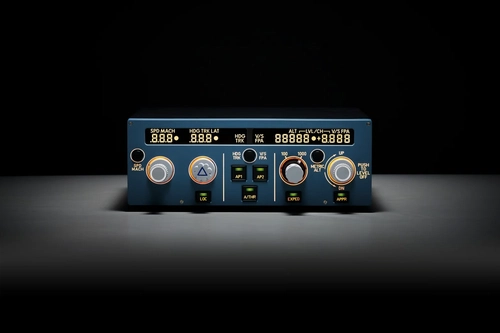
Hardware: miniCOCKPIT miniFCU · Honeycomb Bravo
Autopilot 4 presets
Inputs — what you press (4)
- ALT units - 100
(L:__FCU_ALT_UNITSIsPressed) if{ 1 (>L:INI_FCU_ALTITUDE_MODE_COMMAND) }by Neil Enns - ALT units - 1000
(L:__FCU_ALT_UNITSIsPressed) ! if{ 1 (>L:INI_FCU_ALTITUDE_MODE_COMMAND) }by Neil Enns - ALTINC 100
(L:INI_ALTITUDE_STATE) (>L:INI_FCU_ALTITUDE_MODE_COMMAND)by gareth8118 - ALTINC 1000
(L:INI_ALTITUDE_STATE) ! (>L:INI_FCU_ALTITUDE_MODE_COMMAND)by gareth8118
Outputs — what lights up (0)
None yet
More from Microsoft
- 330 Extra41
- 737 Max 2024262
- 737-MAX79
- 747-8i277
- A32032
- Airliner11
- ATR 42-600, ATR 72-6001029
- ATR 42-600, ATR 72-600 (2024)2
- B787-10155
- Baron 58 Pro1
- Baron G5840
- Baron G58 (2024)12
- Beaver DHC-24
- Bell 407338
- Bonanza G3636
- C172 (2024)19
- C208 Caravan42
- Cabri G219
- Cessna 1526
- Cessna 17286
- Cessna 172 Classic6
- Cessna C40832
- Cirrus SF50 Vision Jet (MSFS2024)4
- CJ4377
- CJ4 (2024)349
- CJ4 AAU1302
- CT-415 Canadair1
- DA40NG32
- DA6231
- DC-37
- DG1001E Neo6
- DHC-22
- G1000 (2024)75
- Generic3055
- H 1252
- HotAirBalloon (msfs2024)9
- King Air 350i70
- Longitude229
- Longitude (2024)23
- PC-12 NGX 20242
- Savage Cub (2024)18
- SR22T22
- TBM 58012
- TBM 930252
- TBM 930 (2024)38
- VL-31
- XCub59
- XCub (2024)69
New to MobiFlight?
MobiFlight connects your switches, encoders and displays to the Microsoft A320 (2024) — every preset on this page is ready to use in it.
Download MobiFlight- Install MobiFlightand connect your board or device.
- Download the latest presetsExtras › HubHop › Download Latest Presets.
- Assign and flyPick a preset for each button, encoder or light.